- Go to account.dat.com and login with your credentials.
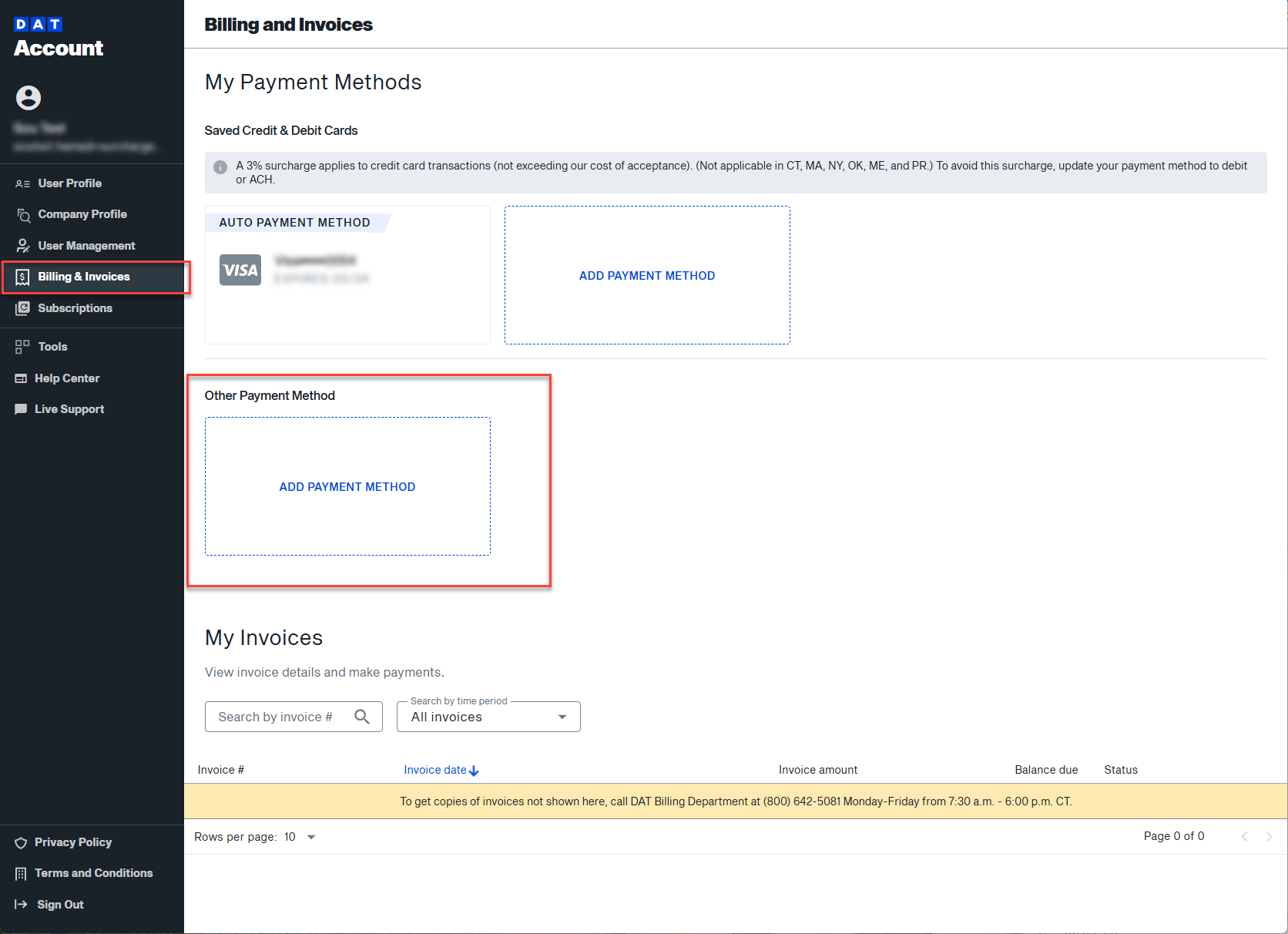
- Navigate to the Billing & Invoices section.
- Under Other Payment Method, click ADD PAYMENT METHOD.
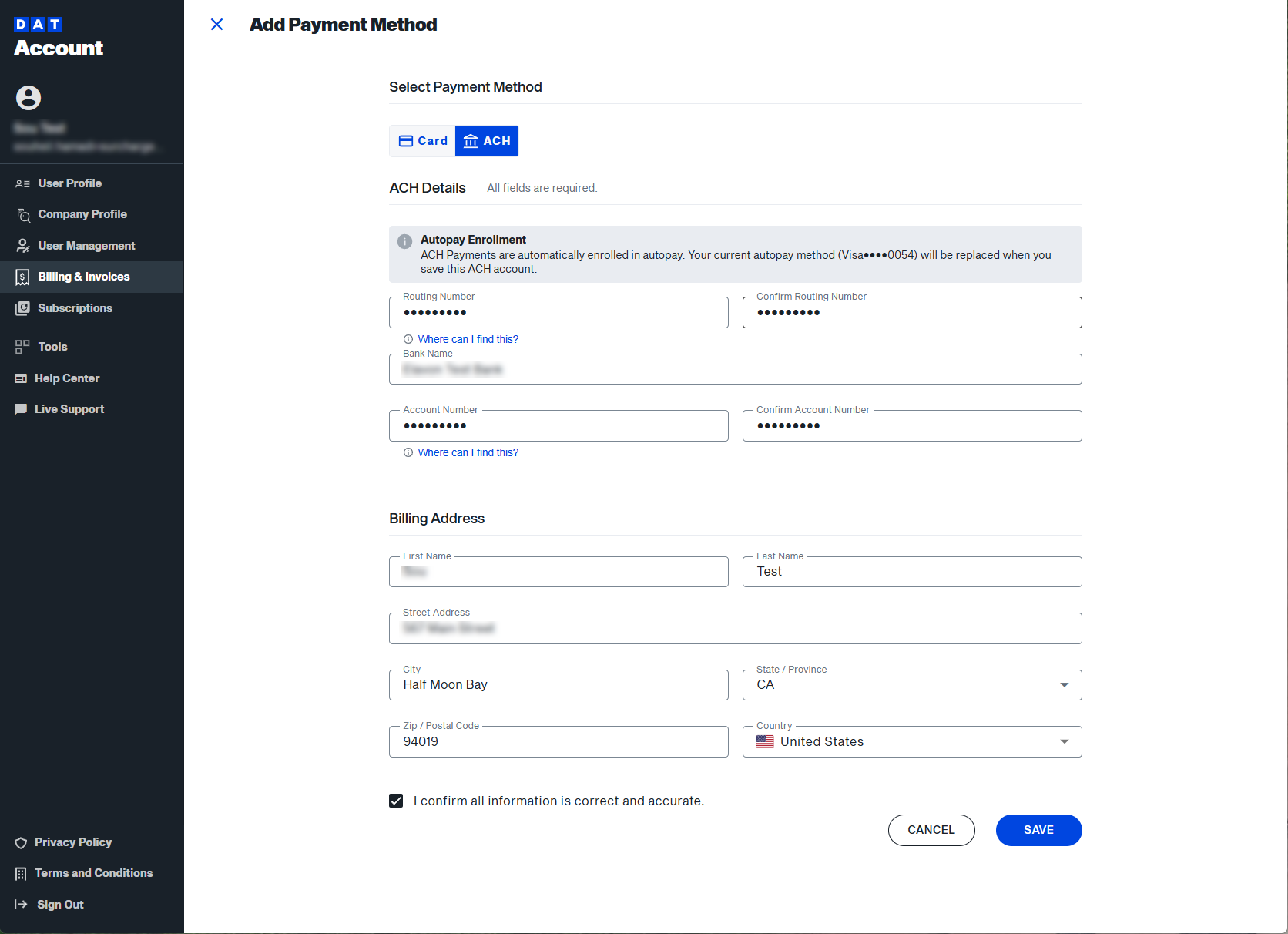
- Complete the form. Check the box "I confirm all information is correct and accurate". Click SAVE.
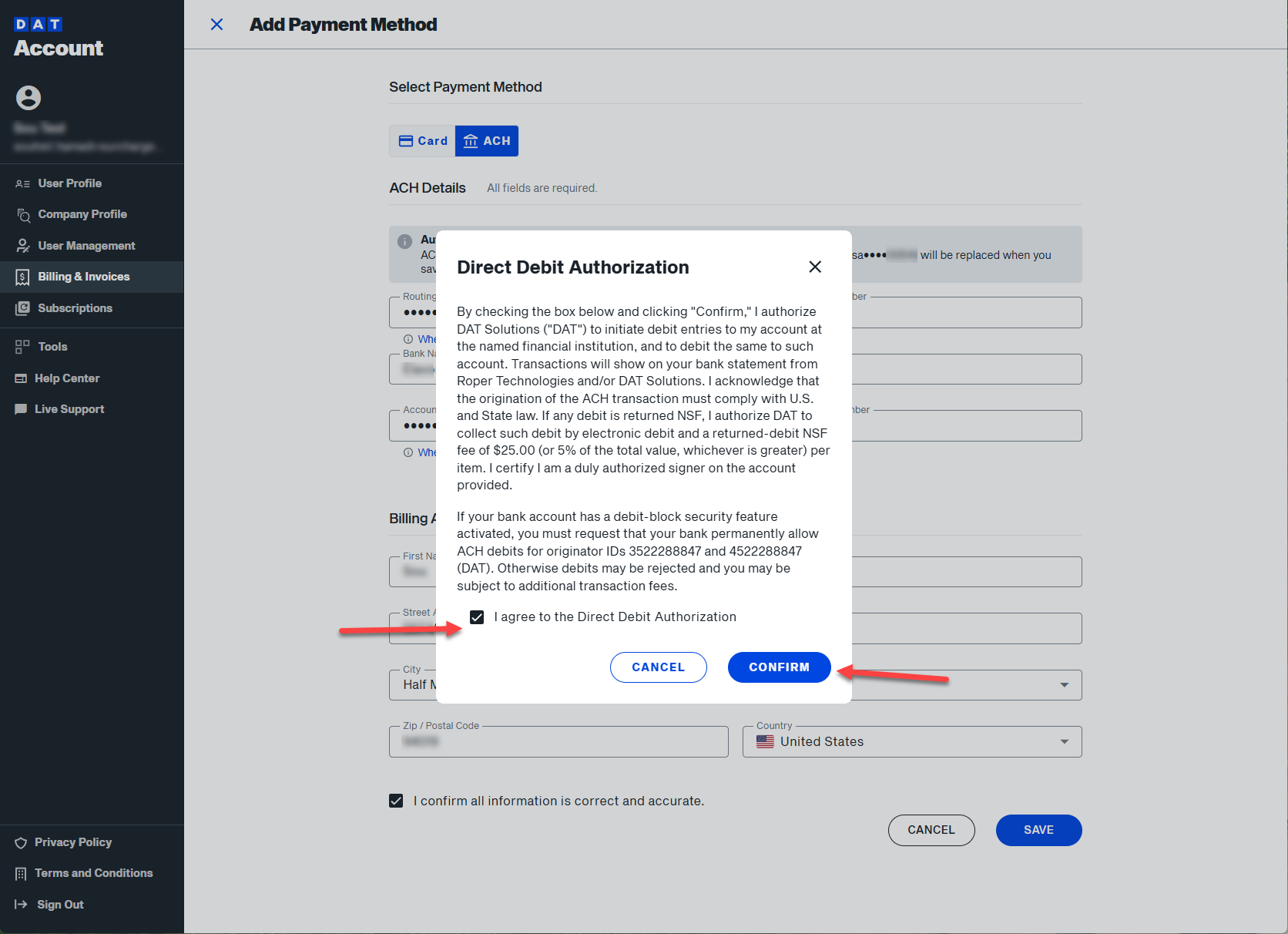
- Review and agree to the Direct Debit Authorization form. Click CONFIRM.
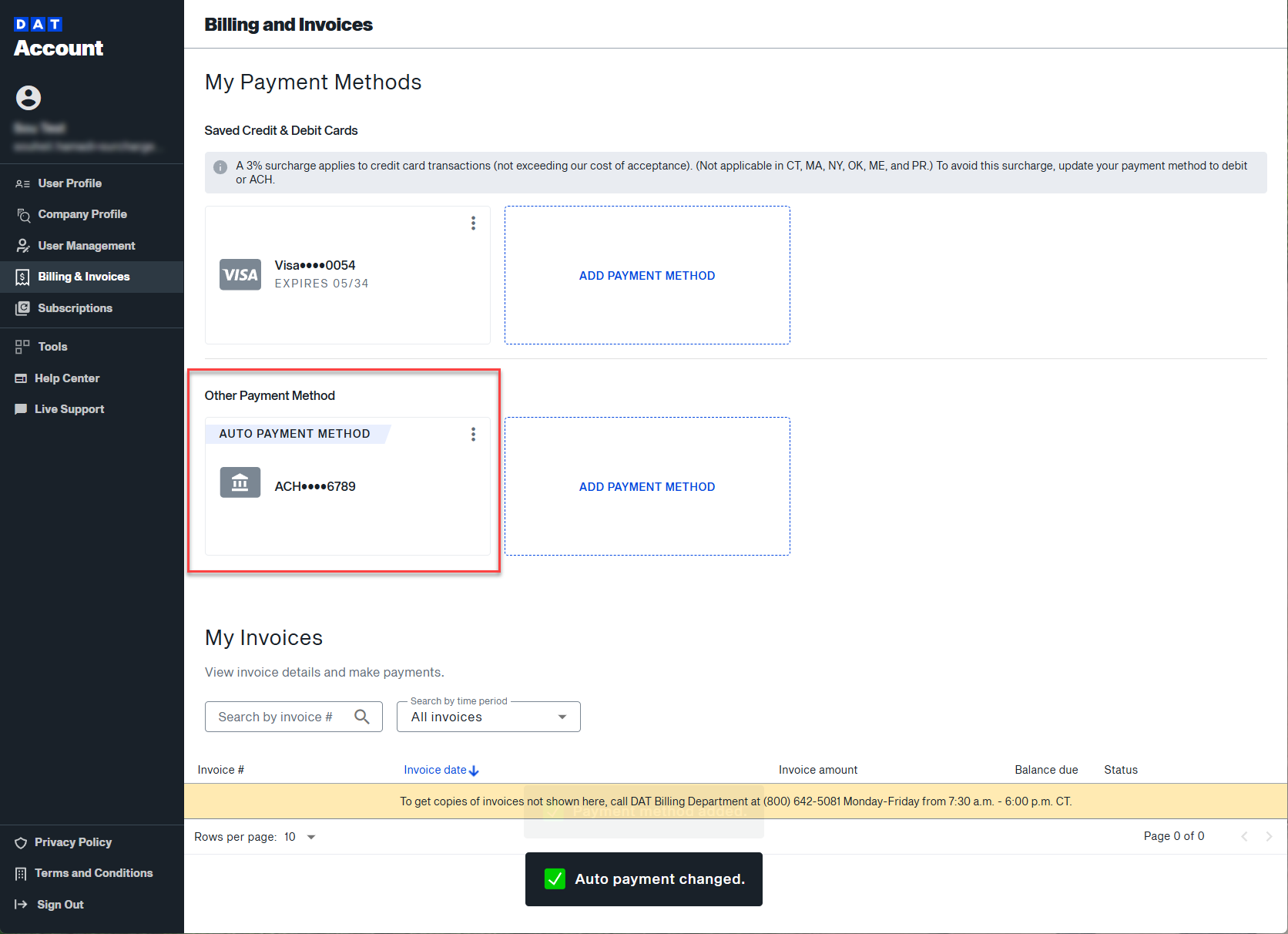
- Once confirmed, your ACH account will be saved and set as your autopay method. Your credit card will remain on file as a backup — that's required.

Set up ACH as a payment method
How to add and set up ACH account for autopay on account.dat.com