
Select loads from the Convoy Platform are being cross-posted to DAT to give carriers more access to available freight. These loads appear on DAT under the company name “Book on Convoy Marketplace.”
Convoy Platform is an automated freight marketplace where brokers post loads and qualified carriers can book or bid on them instantly. Carriers must create a Convoy Platform account before they can book freight through their platform.
Follow these steps when you find a Convoy load on DAT:
- When you see a load posted under a company “Book on Convoy Marketplace”, click Book.
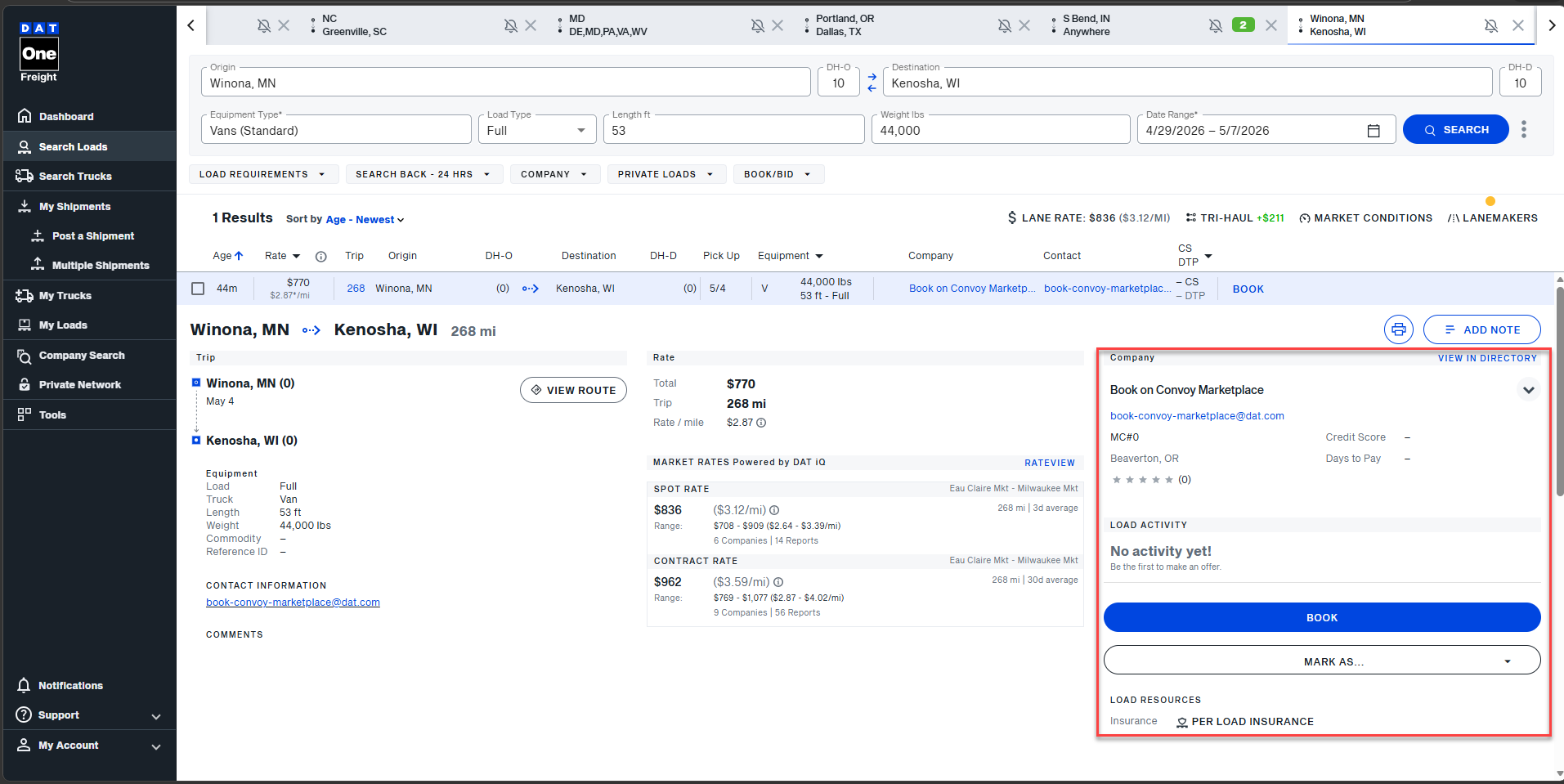
- Follow the redirect based on your setup
On DAT Mobile:
- If you already have the Convoy app and are onboarded, you’ll be taken directly to the load in the Convoy app.
- If you don’t have the Convoy app, you’ll be directed to a page to onboard and download the app.
On DAT Web:
- If you are not onboarded with the Convoy Platform, you’ll be taken to a sign-up/onboarding page.
- If you are already signed in and onboarded, you’ll be taken directly to the load on Convoy Platform's carrier website.
- Complete booking process on the Convoy Platform.
Important notes:
- Booking is completed through Convoy Platform, not directly on DAT.
- You must be onboarded and approved by Convoy to book these loads.
FAQs
How do I download the Convoy Platform app?
The Convoy app is available on Apple and Android devices. It is completely free to use.


What's the best way to contact support?
For app and account based support:
For issues with your Convoy Platform account or app, please email the following:
- Carrier access/login questions: carrieraccess@convoy.com
- Carrier insurance: carrierinsurance@convoy.com
- App issues: carriersupport@convoy.com
- Factoring support and NOA's: factoringsupport@convoy.com
- Convoy Platform Help Center