
When searching for loads on DAT One Web, you may notice the message “You're missing broker requirements” on certain postings.
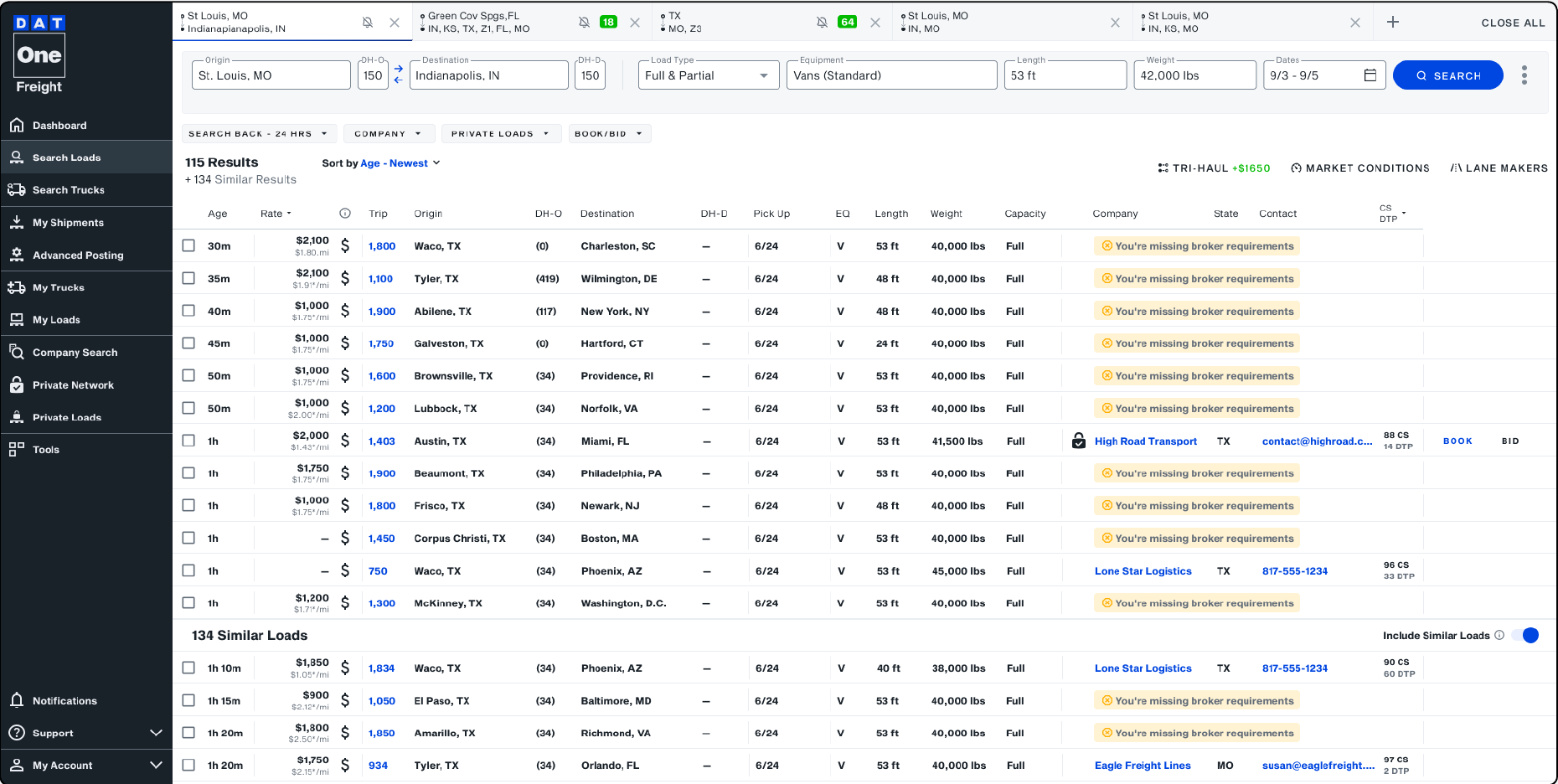
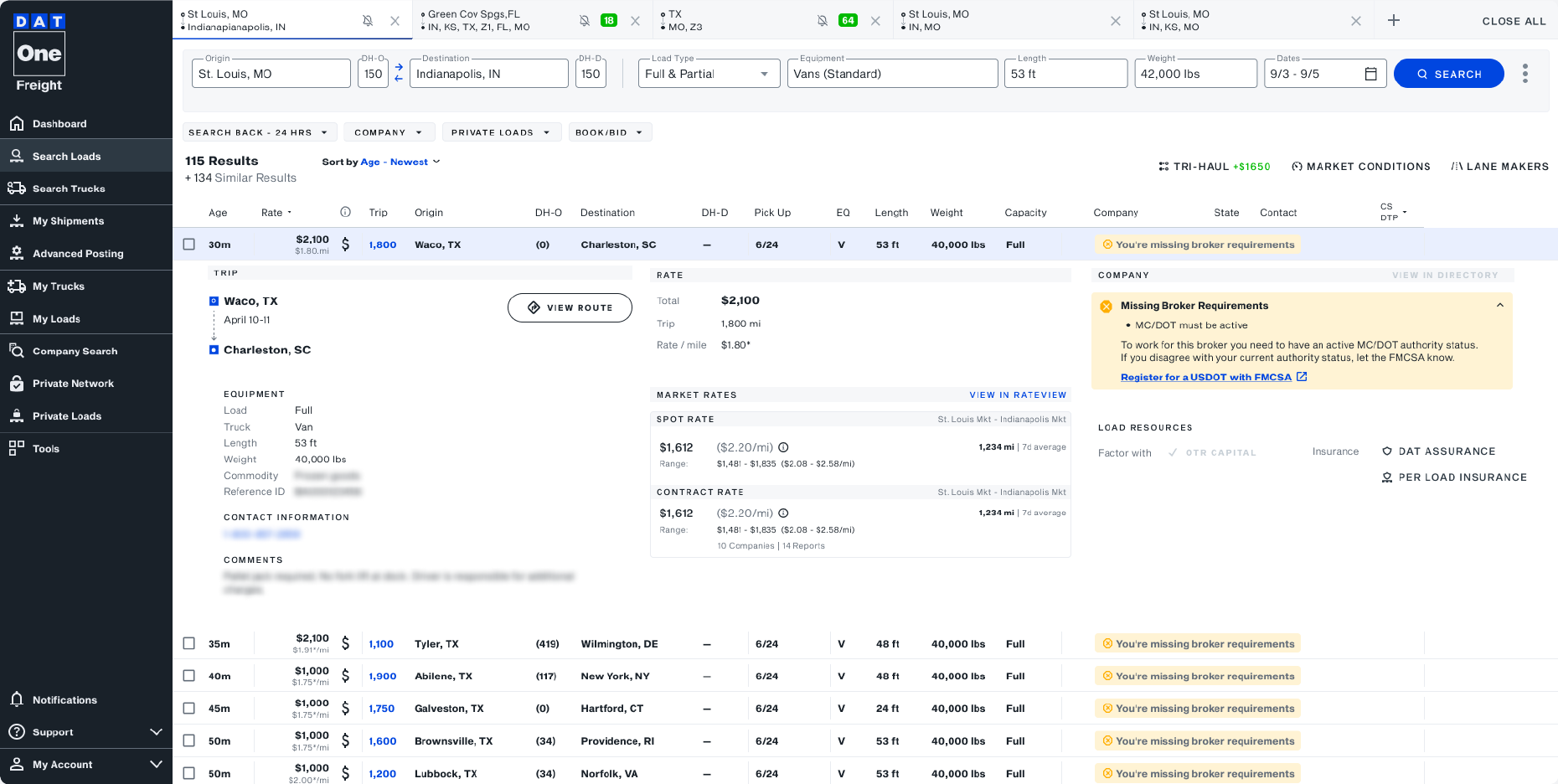
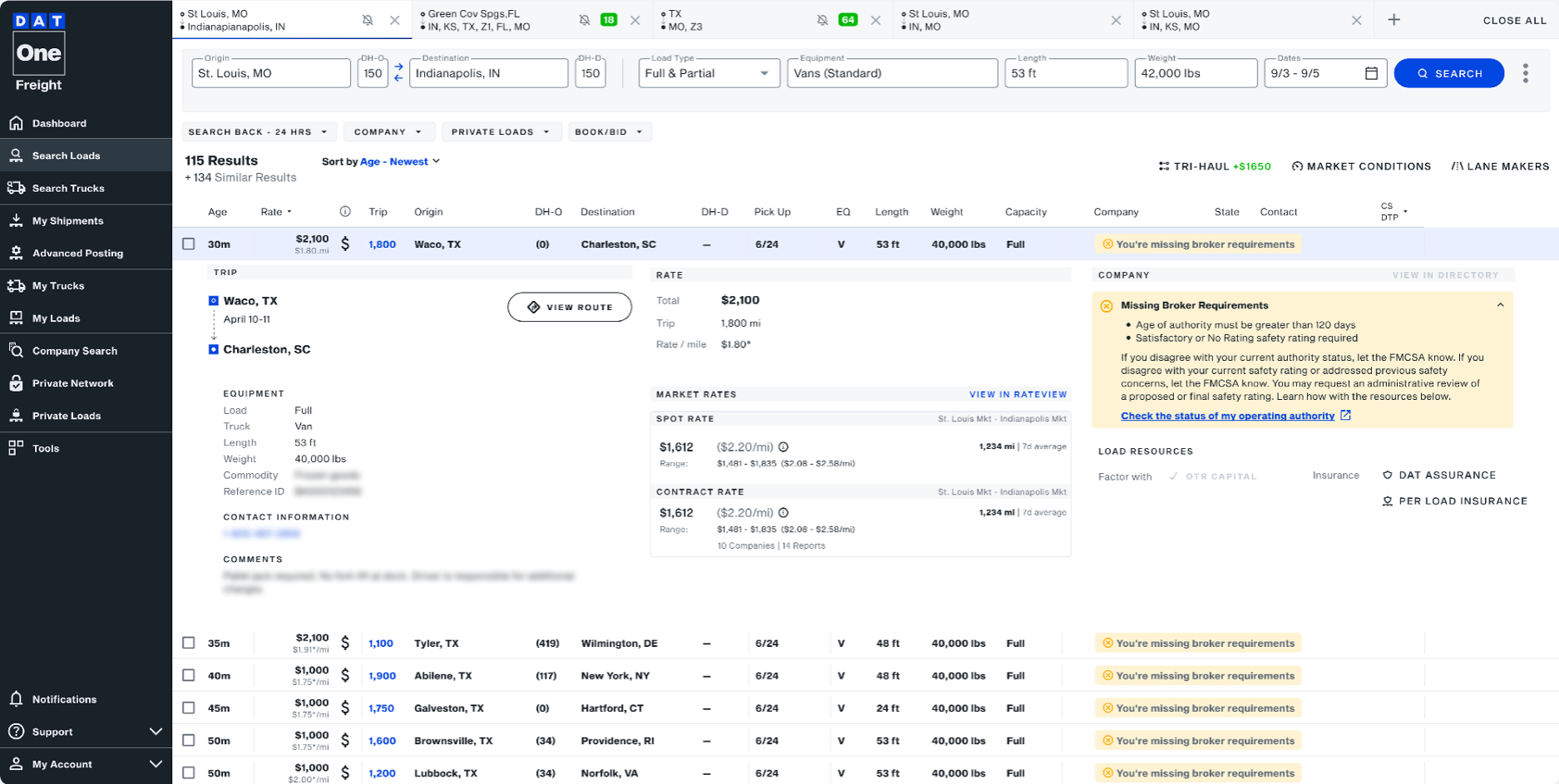
To find out exactly which requirements you don’t meet, simply click on the load to expand the details. This will show you the specific qualifications the broker has set.
Common broker requirements
Safety Rating
What it means
- Brokers may review FMCSA safety ratings as part of their process when deciding which carriers to work with.
- Ratings include Satisfactory, Conditional, Unsatisfactory, and Not Rated.
- An Unsatisfactory rating means you’re not legal to haul loads until the issues are corrected and the rating is changed.
What can I do?
- Review your violations and correct safety issues (vehicle maintenance, driver behavior, HOS, etc.).
- Train drivers on defensive driving and hours-of-service compliance.
- Monitor your safety data and ratings regularly (e.g., via FMCSA tools and score portals).
- If you believe your rating should be updated, request a review or change of safety rating with FMCSA following their published process.
Authority Age / Status
What it means
- Brokers often require active operating authority and may set a minimum age (e.g., 6–12 months in business).
- Some brokers include operating history as part of their qualification criteria when selecting carriers for their loads.
What can I do?
- Make sure your authority is active and in good standing with FMCSA, and keep business info current.
- File required updates (e.g., biennial updates) on time so your authority isn’t deactivated.
- If you’re a newer carrier, you may find that some brokers and shippers are more flexible with newer authorities as you build your operating history.
- Use that time to build a spotless safety and service record (on-time performance, low claims, good feedback).
- Share positive performance data with brokers to help offset the fact that your authority is newer.
Active MC / USDOT Number
What it means
- Many brokers require that your MC and USDOT numbers are active, valid, and in good standing.
- If your authority or registration information is inactive, revoked, or not up to date, some broker qualification settings may prevent certain loads from appearing.
What can I do?
- Regularly verify that your MC and USDOT status is active in FMCSA systems.
- Update your registration and contact information whenever your business details change and at least every two years (biennial update).
- Staying on top of any FMCSA notices can help ensure your authority and registration remain active and up to date.
- Keep your insurance coverage current and at levels that meet or exceed broker expectations.
ELD Integration with Trucker Tools
What it means
- The broker has turned on an ELD / tracking requirement in their Qualification Settings, specifically looking for carriers whose ELD/telematics is integrated with Trucker Tools.
- When you see “This load requires ELD integration with Trucker Tools,” the broker is requesting real-time tracking through Trucker Tools using an ELD connection, which allows location updates to be shared automatically during the load.
- If your MC is already integrated with Trucker Tools, you’ll typically meet this requirement automatically and can view full load details. If not, you may see a notification prompting you to set up tracking so you can access the load.
What can I do?
- Connect your ELD/telematics to Trucker Tools using their ELD integration page or the Trucker Tools card/link in DAT One. It’s usually a one-time setup that then works across loads and brokers.
- Make sure the MC number and asset IDs (truck/trailer numbers) you provide match what your ELD provider has on file so your trucks can be auto-matched for tracking.
- Periodically reviewing your telematics or ELD integrations in Trucker Tools can help ensure your tracking connections stay active and up to date.
- If you believe you’re integrated but still see “missing ELD integration,” contact Trucker Tools support at support@truckertools.com or 703.955.3560 so they can verify your MC is correctly flagged as ELD-integrated.
Cargo Insurance Minimums
What it means
- The broker has set a Minimum Cargo Insurance requirement in their Qualification Settings. DAT checks your verified Motor Truck Cargo/Cargo coverage (from Certificial) against that dollar amount.
- If your verified limit is below the broker’s minimum or no cargo policy is on file, you may see:
- A yellow banner or partial-match badge (e.g., “This load requires a minimum of $100,000 in cargo insurance”) or
- Redacted load details where some information is hidden until requirements are met.
What can I do?
- Talk with your insurance agent about carrying enough Motor Truck Cargo/Cargo coverage to meet the types of freight you haul and the brokers you work with.
- Use the “Update Missing Insurance” / COI request workflow in DAT One to have your agent submit a certificate through Certificial. Once validated, your cargo limits are written to your DAT Company Profile and used to qualify you automatically.
- A “Pending” status or yellow banner typically means your update is still in progress. If it remains pending longer than expected, use the in-product “Get Support” option for guidance, including contacting your agent and reviewing DAT help articles.
- Making sure the Insurance tab in your Company Profile reflects your current cargo policy, limits, and effective dates helps brokers quickly verify your coverage when evaluating loads.
Auto / BIPD Insurance Minimums
What it means
- The broker has turned on a Minimum Auto/BIPD (Auto Liability) Insurance requirement as part of their Qualification Settings. DAT reads your Automobile Liability/BIPD limit from Certificial to see if you meet that threshold.
- If verified auto liability insurance isn’t on file, or if the coverage limits shown are below the broker’s requirement, you may see a message such as “This load requires a minimum of $1,000,000 in liability insurance.” In these cases, some load details may be limited until the requirement is met.
What can I do?
- Confirm with your agent that your Auto Liability/BIPD limits meet both FMCSA minimums and the limits most brokers expect, then keep that coverage active with no lapses.
- If your coverage meets or exceeds broker requirements, make sure your agent has submitted a current COI through Certificial so your verified insurance limits appear accurately in your Company Profile. Your agent can reach out to Certificial support at support@certificial.com
- If you see a missing or insufficient Auto/BIPD insurance warning in the load details, you can request updated insurance verification directly from the notification. This will send a request to your agent to provide a current Certificate of Insurance (COI). Once your insurance is verified, the warning will clear automatically.
- Monitor your Company Profile and Company Insights for any negative flags like “BIPD insurance minimums are below the federal minimum of $750K” or canceled/expired policies, and work with your agent to correct those quickly.
Meeting Broker Requirements: Tips to Qualify for More Loads
- Keep your DAT Company Profile accurate and up to date so brokers can see the latest information about your authority, insurance, and safety record.
- Invest in strong insurance coverage; some brokers require limits above the FMCSA minimums.
- Consistent communication and reliable updates during loads help build strong relationships with brokers, which can lead to more opportunities over time.
- Track and share performance metrics like on-time pickup/delivery, low claim ratios, and positive customer feedback.