
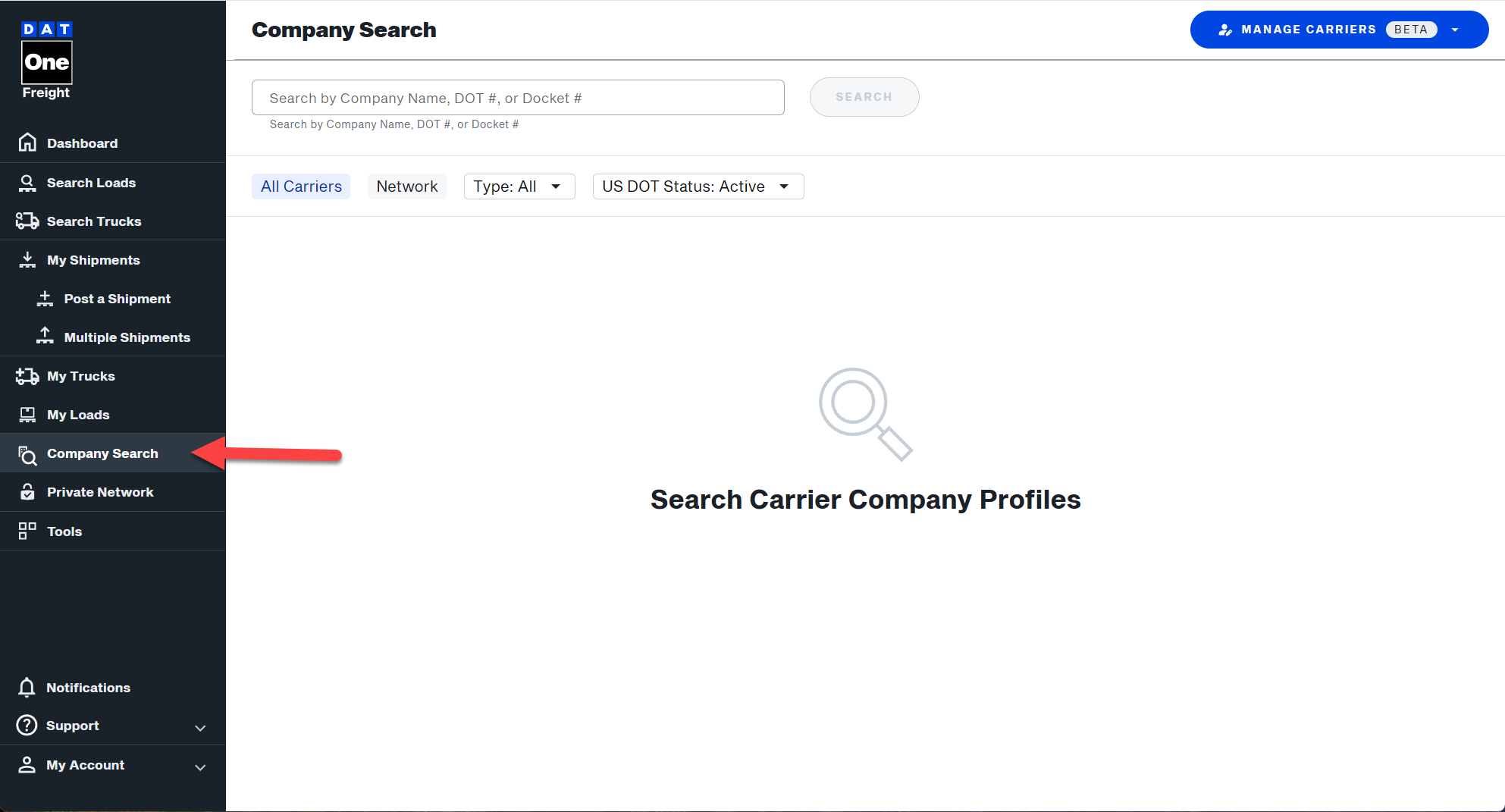
- To find a company click on the Company Search feature from the menu
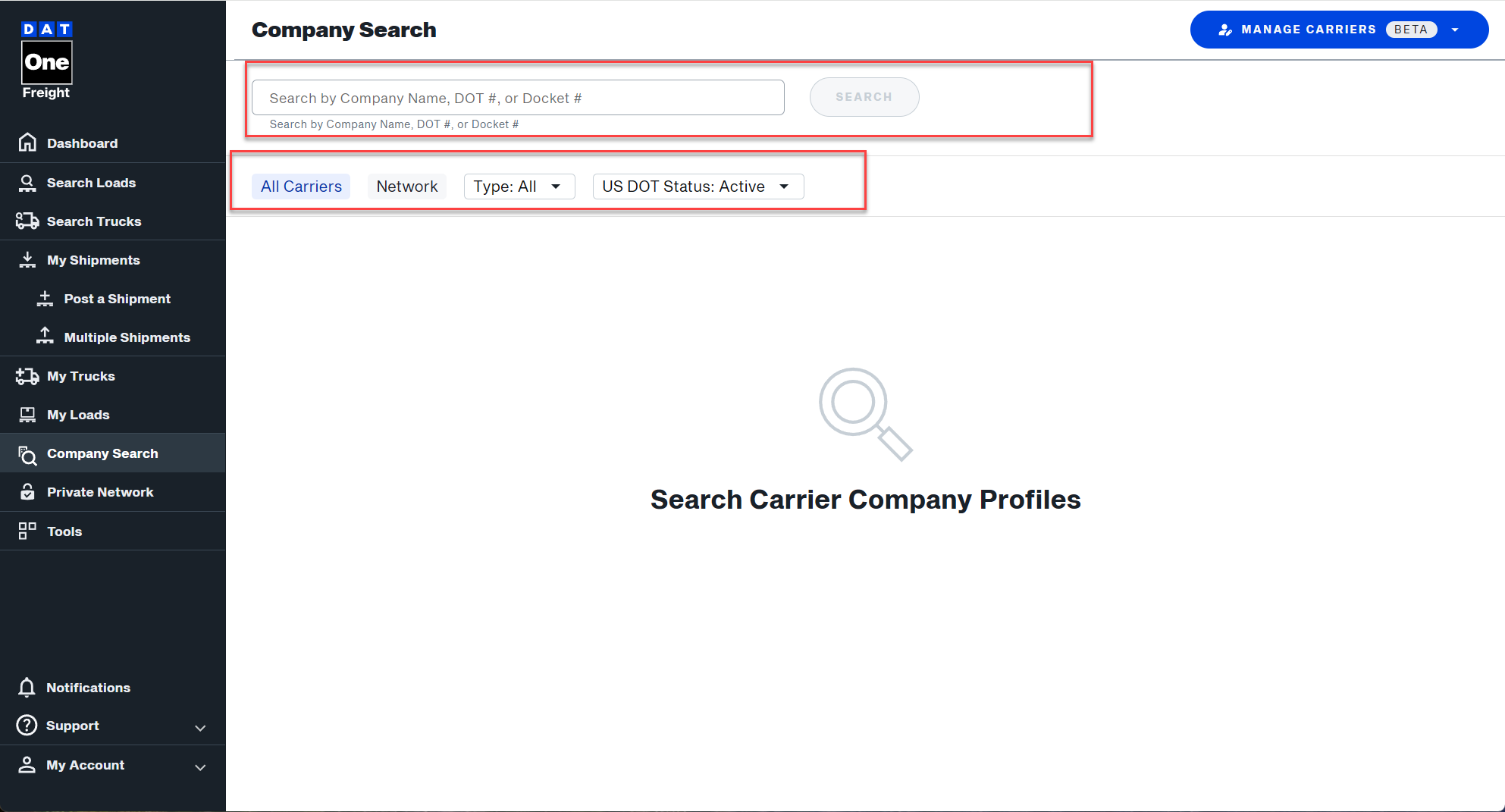
- In the Search box enter the company you are looking for (eg. company name, MC#, DOT#, FF#, etc) and click the Magnifying Glass. Note: Use the filters below to select a specific company type or to view companies by active/inactive authority.
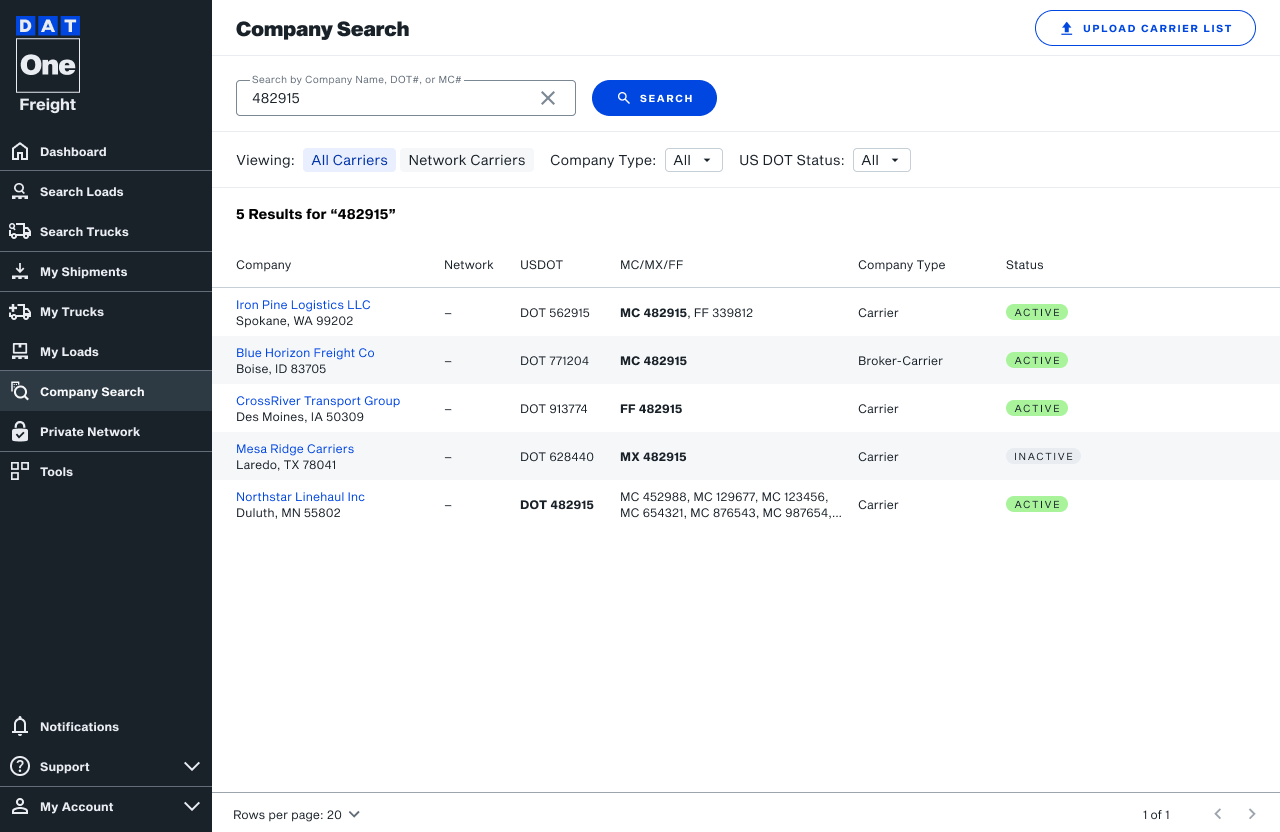
- You will now see the search results.
- Companies are organized by DOT number, with all associated MC/MX/FF dockets grouped into a single record; search results display one entry per DOT with dockets listed and separated into dedicated columns for easy comparison.
- Company data reflects real-time census and authority information.
- Duplicate records caused by multiple dockets are eliminated.
- When searching by MC number, the matching MC is highlighted in the results.
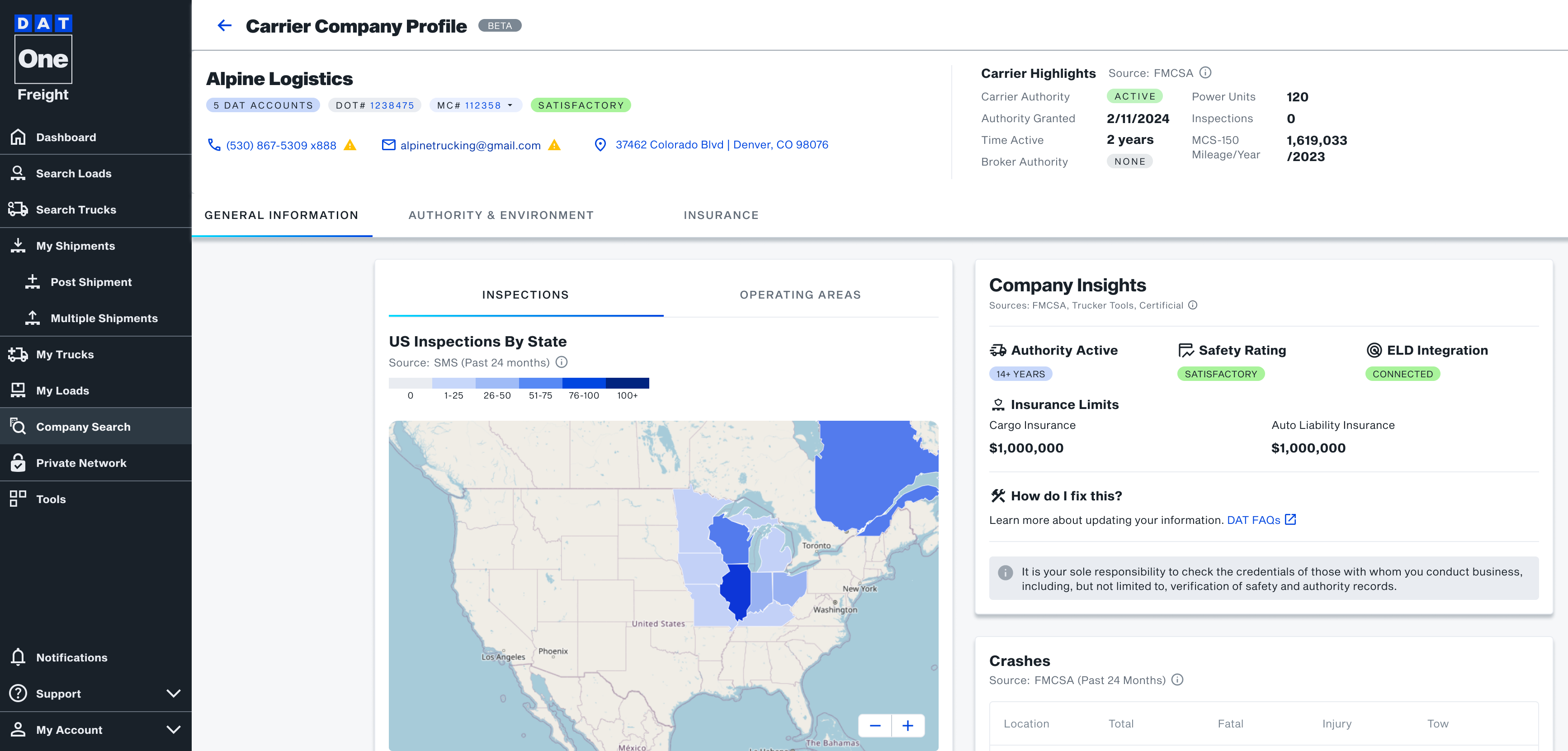
- Company profiles include DOT-level contact details and display all associated dockets in the header.
- Authority, insurance, and related details are shown based on the selected docket.
- From the list of suggestions, click on the company you were looking for
- You can now view the information available for that company
To learn more about each section, click on one of the buttons below